PyPost — AI Blog Post Generator
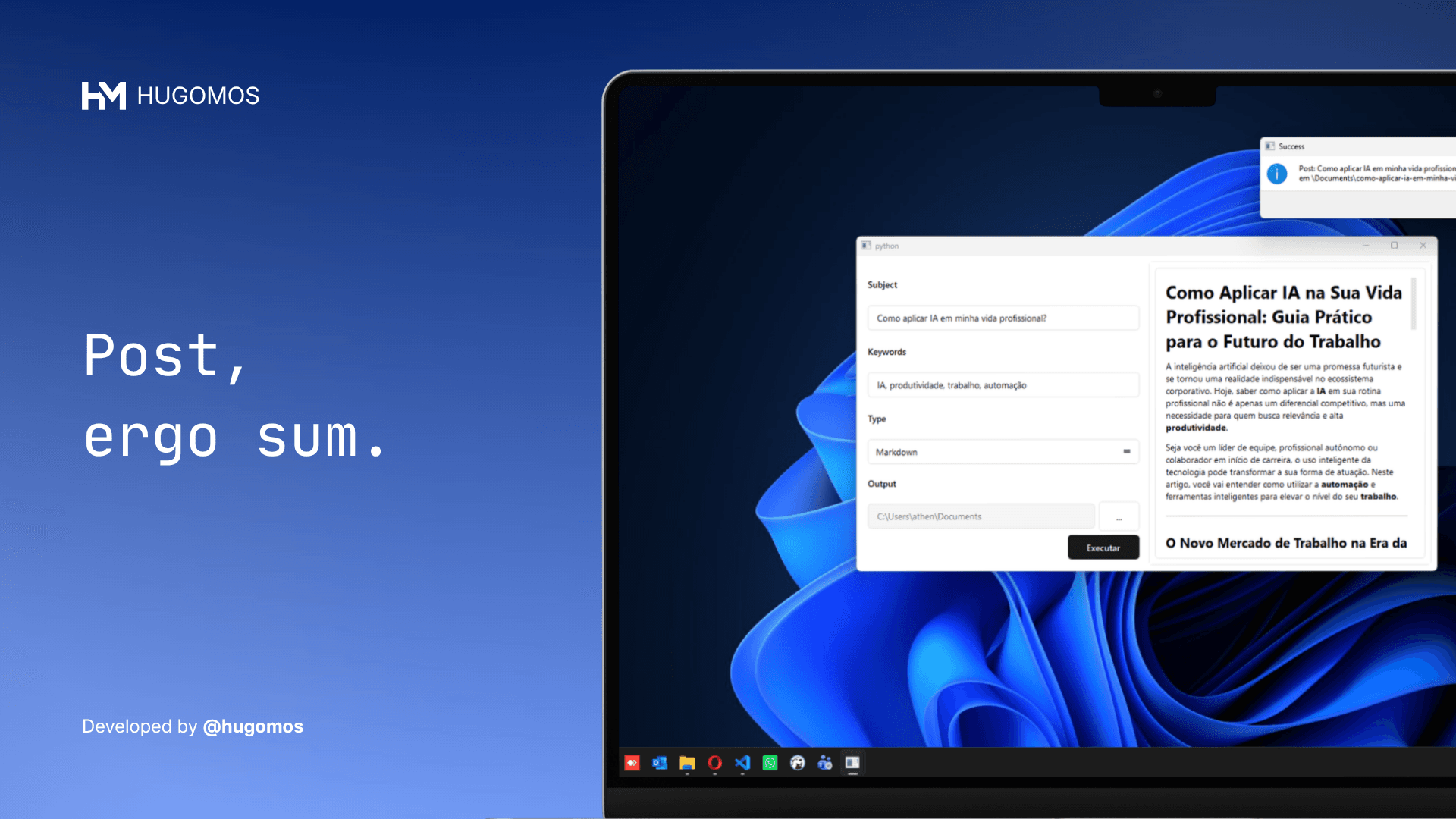
A desktop app that generates SEO-optimized blog posts from a subject and a set of keywords, using Google Gemini AI and exporting the result directly to Markdown, HTML, or plain text.
Turned blog post drafting from a blank-page problem into a one-click operation.
highlights
- Generates complete, structured blog posts from subject and keywords
- Exports to Markdown, HTML, or plain text with live preview
- Auto-generates filename from the post subject using URL slugs
- Prompt engineered to resist injection and enforce consistent output format
- Clean Architecture with factory pattern — AI provider is swappable
The problem
Starting a blog post from scratch takes time — not because writing is hard, but because the blank page is. You know the subject, you know the keywords you want to rank for. What you need is a solid first draft to work from.
Most AI tools for this live in the browser, require subscriptions, and don't fit into a writing workflow that ends with a local file.
The solution
PyPost is a desktop app. You give it a subject and a list of keywords, pick an output format, point it to a folder, and click execute. A few seconds later, a structured, SEO-aware draft is sitting in your directory.

How it works
The interface is deliberately minimal: subject, keywords, format, folder. No settings pages, no accounts, no cloud sync.
When you click execute, the app sends a carefully structured prompt to Google Gemini. The prompt is engineered to enforce a consistent output — proper headings, keyword integration, no filler markers — and to ignore injection attempts that could break the format.
The result appears in the preview panel immediately. Markdown is rendered as formatted text so you can read it properly, not as raw syntax.
The file is saved automatically to the selected directory with a filename derived from the subject — no manual naming needed.
Output formats
Markdown — rendered in the preview and saved as .md, ready for static site generators like Jekyll, Hugo, or Astro.
HTML — full HTML output, previewed as rendered markup and saved as .html.
Plain text — stripped of formatting, saved as .txt.